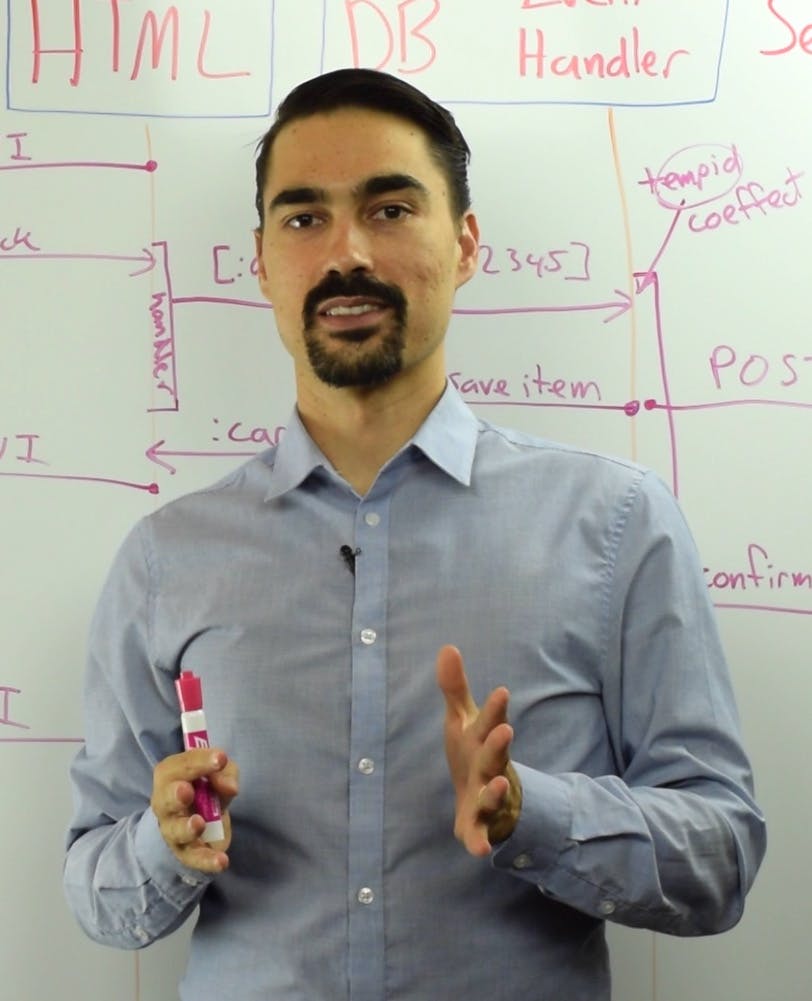
LispCast Episode 7

February 28th, 2008

So, I was going to wait on this, but why not release it now.

Yeah!

I’ve got an embedded flash player from blip.tv. Don’t mind the crappy resolution in the thumbnail — it’s much better after you hit play. Try it fullscreen, too, for a better experience.You can also download the OGG here. Here’s the code.

There are two more videos in the series to go . . . The next one is about . . . dare I ruin the surprise . . . continuation-based web-development. After that, I package it all up (in the next episode) using asdf. Stay tuned.Oh, and the end of the series is not the end of LispCast. As I’ve already mentioned in the comments of another post, the blog format is over. I’m switching to a traditional CMS. But that doesn’t mean I won’t make more videos. I’ll just stick to videos, articles, and maybe some reference documents. That’s what I like to do, and nothing’s going to stop me. I’ll post all about the change and my reasoning soon. That will be my last blog-style post. I plan on having a small feed of updates (like posts saying “A new video is posted, check it out here.”) but probably not much more. But enough, go watch the video. These videos are a labor of love. I can’t know how good they are, how bad they are, or what more you want to see if you don’t let me know what you think.

Popularity: 3% [?]

The Arc Debate

February 28th, 2008

Hey, everyone, Arc is out! As if you didn’t know. I mean, I think the internet backbone has been saturated with refreshing news.ycombinator.com to be able to post the next reply.

But seriously, as one of my last blog posts, I thought I might shed a meager light on the issue. There are a lot of statements, many true, many untrue, many other, that have been made about Arc. I’d like to address some of them, one at a time.

First, though, if you don’t know, Arc is a recently-released Lisp programming language by Lisp pundit Paul Graham. He is also the guy who started the Y Combinator venture capital firm. And he wrote news.ycombinator.com in Arc before he released the language to the public. Now it’s out, and look at the raucous.

So, some of the finer points about the Arc debate:

People ask Why doesn’t it do Unicode? The language is meaningless if I can’t use Unicode.

See: here briefly here here here

This seems to be one that Paul Graham has tried to address himself. Simple answer: Paul Graham doesn’t need it, it doesn’t give him much value, and it’s not one of his priorities. What were you expecting? A Python killer? Everything that has ever been said about Arc by Paul Graham has indicated a small, minimal language based on a few principles: terseness of programs and axiomatic definition of the language and libraries.

People say It’s just a bunch of name changes from Common Lisp, with only minor extensions. Students write their own Scheme interpreter in a semester in college. This is nothing different.

Ok, yeah, you could write it in Lisp. And guess what, he did. But he wanted to do it in a different direction from where scheme and common lisp went. Above, he wanted to maintain the principles that he set out to abide by from the core of the language up. That’s why it’s different. It’s a fresh and evolving start. Yeah, you could write something similar in a semester in college. But the fact that it is stable (it runs news.ycombinator.com) and that the programs continue to get shorter shows that it’s more than that and that his principles are still working. It is an experiment in language design, not a fixed point in language practicality.

People say After six years, this is it?

Well, in those 6 years he has obviously been pretty busy with spending his millions. Give him a break.

People say Continuation-based web programming is equivalent to cookies/sessions/query string state.

No. They are not. Continuation-based web programming lets you program in a natural, structured programming style. You avoid the spaghetti code of html links you have to write. Continuation-based web programming lets you program in a functional style, not a goto style like the rest of them. Functional style programming is better for exploratory programming, which is one of the reasons Paul Graham started to write Arc. And one of the main reasons he gives for choosing Lisp in general. And it trivially fixes the back-button problem. Oh, why not a list of all the reasons to use continuations?

  • No back-button problems
  • Multiple tabs/windows with different state
  • Functional style (forms look like function calls)
  • Easy to modify/maintain
  • Easy to read
  • Easy to write
  • Easy to wrap with more functions/macros

People say Continuation-based web programming lets you do all sorts of cool stuff, but what about global state which is shared by all windows/tabs?

Yeah, you know what? Multiple continuations can be closed over the same variables. That means you don’t have to worry about that. Or, you can just use sessions, if you really want.

People say Arc uses tables-based layout. What about CSS and accessibility?

Yeah, this one is tough. Paul Graham says he uses tables because they are more programmer-friendly (they let you explore). But this leaves screen-readers (for the seeing-impaired) in a mire of rows and columns, with no discernible order. It just isn’t important enough to him.

Well, this post is pretty messy, disorganized, and whatever. I don’t care. Here are a bunch of links, if you want to read all of the buzz. You might also like them if you’re a Google linkbot.

Lisp at Light Speed: Arc debarks
Hacker News | Take the Arc Challenge
Take the Arc Challenge
Arc - the Hundred Second Language - Robert Synnott
Arc is not a lot, but could it be?
Rondam Ramblings: My take on Arc
[FoRK] Re: Arc’s out, Nu vs. newLISP, and a retort to Paul Graham’s elitism
Stevey’s Blog Rants: Lisp is Not an Acceptable Lisp
The Software Maven: An Arc-Tangent
Lisp at Light Speed: Arc debarks
Arc Forum | Infix Math
programming: Dear Proggit: Lets not start posting every toy lisp interpreter every hacker has ever made with titles like “This guy made his own arc in 2 weeks!”. Thanks.
Paul Graham’s Arc is released today… what is the long term impact? - comp.lang.lisp | Google Groups
Arc - An Unappreciated Approach to Language Design - Beautiful Code
Arc is released | Lambda the Ultimate
On Code: The ‘pre Arc’ Arc
Arc’s Out
Lisp at Light Speed: Arc Brevity
Zach’s Journal - Like a Bi-Metallic Strip
Drinkable Chicken » Arc, first impressions
(cadr life): Lazy Lists in Arc
smuglispweeny: Arc!Cells: It’s Alive!!!
smuglispweeny: Arc!Cells: Baby Steps
Arc Forum | Musings on Language Design
John Graham-Cumming: The Arc Challenge Explained
Fixing Software: A Wiki in Arc
Arc Forum | I have more challenge for you.Do the same thing, but make it survive a reboot of…
Object Oriented Arc
Arc’s if « Occasionally sane
ArcLite - Arc Ported to JavaScript
Lukas Renggli: We take the Arc Challenge
smuglispweeny: Meaningless First Impressions of Arc
Listening To Reason: Some potential advantages of Arc
Dude where’s my charset! | Schmevelopment
search results
On Arc, Paul Graham, and Unicode support as an exercise for the programmer // plasmasturm.org
Arc’s Out
ndanger.organism ::
blog :: Language design and Paul Graham’s dirty strings

Paul Graham on trolls | MetaFilter

Popularity: 6% [?]

Applying design principles to software, Part III

February 13th, 2008

Please teach me design.

Software design can be beautiful. It can bring joy to your work. Design is about usability. A beautiful object inspires good use. Good design teaches the user to use the object properly. A well designed library will bring joy to its users. It can instil a passion to learn more and improve skills. I love good design.

This is the third article in a series in which I explore how to apply principles of design to writing software libraries. The ideas in these articles were inspired while reading The Design of Everyday Things, a wonderful book by Donald Norman. There is one principal insight I am trying to explore: that the principles of design presented in the book can help us make software libraries that are intuitive to use.

In the last two articles, I explored the ideas of the Conceptual Model and Feedback. The Conceptual Model of the user is his/her understanding of the system. It’s what clues the user into how the system works. He/she builds the model from the System Image and through active experimentation, fueled by feedback. Feedback is when the library gives the user information about the effect of his/her actions.

In this article, I want to discuss the principle of constraints. Constraints limit actions. They can keep the user from breaking the system. Constraints can also guide the user to learn how to do what he/she needs to do. Constraints serve two purposes: preventing errors and helping the user figure out what actions he/she wants to take. Well designed constraints can vastly improve the usability of a library.

Constraints

Half of the ease of use of an object is in the object itself preventing errors, or at least making them undoable. If the object didn’t constrain them, the user would have to constrain him/herself from taking inappropriate actions.

Constraints are a good thing?

Yes — constraints are a good thing. Well conceived constraints can give the user the freedom to explore. Preventing horrible errors makes it safe for learning by experimentation. It also gives the user confidence that he/she doesn’t have to worry much about unexpected errors happening. Constraints free the user from having to keep track of every possible thing that could go wrong. The system sets up boundaries within which the user can play and learn.

The other half of the ease of use is in helping the user decide how to do what they want to do. It is easier to choose between a small list of options than a large list. By using constraints, you can help whittle down the list of possible actions to just a few — freeing the mind of the user to think of other things. Constraints help the user figure out how to do what he/she wants.

In the design of physical objects, there are three kinds of constraints:

1. Physical constraints

Physical constraints use the physical properties of the object to limit the possible actions. These constraints are the strongest constraints. They absolutely limit the actions, and they are out of the control of the user.

Example:
Square pegs won’t fit in round holes.

Physical constraints might not literally exist in software, but there is an analogue in software. Compiler constraints limit actions before runtime. Lisp checks the number of arguments at compile time. Some languages check the types of the arguments at compile time. These constraints absolutely limit the possible actions the user can take.

Another type of physical constraint is runtime constraints — such as dynamic type checking — that limit actions, though you won’t know until you run your program. Runtime assertions can limit the actions allowed based on the values or types of the arguments, or based on the state of the system.

We’ll keep metaphorically calling these constraints “physical”. Physical constraints should be used in any case where an action should absolutely be avoided.

Mental Constraints are next

2. Cultural constraints

Cultural constraints use the cultural meaning attributed to objects to limit the possible actions. Cultural constraints are not as strong as physical constraints, but they are still important. While they don’t stop the user from performing an action, they do guide the user in deciding whether it is appropriate.

Example:
Green means go, red means stop. Coloring buttons this way makes it clear which to push when.

It’s possible to use the meanings embedded in function names to communicate more than just what the function does. It can also communicate when to use it, how to use it, and any context that surrounds it. For instance, the ABORT method on a transaction object implies that no more operations can be performed on it. The word “abort” connotes death, an absolute end. It would be difficult to imagine an operation that an aborted transaction could perform that wasn’t RESTART, RESURRECT, etc. Cultural constraints help the user filter out impossible or inappropriate actions.

Naming functions is so important

Cultural constraints can be used instead of physical constraints or in addition to them. The cultural constraint helps the user figure out in which cases the action should be used. Well-named functions can make it intuitive how to use the library.

3. Logical constraints

Logical constraints limit the actions to what makes sense. Logical constraints are about as strong as cultural constraints. They don’t stop the user, but they can guide the user — especially when the user doesn’t know what to do next.

Example:
A logical constraint that we’re all familiar with is the process of elimination. If there’s only one choice left, it must be the right one.

The thing about programming is that it already relies on logic. Logical constraints form the basis of the whole enterprise. So it’s your job to make those constraints evident and clear. If something doesn’t make perfect sense, explain why — in the doc string or the error messages. The more your system makes sense to the user, the more natural it will feel.

The user is still going to make mistakes.

Yes, you’re right. So we’ll need to deal with that.

Preventing and Fixing Errors

Obviously, limiting the number of errors the user makes will make the system feel easier to use.

Let’s talk about two kinds of errors: program errors and usage errors.

Program errors are problems in the program: syntax errors, type errors, wrong number of arguments, etc. Some of these are checked by the compiler, some are checked at runtime. Program errors are usually absolutely clear and can be caught. When a program error occurs, it means the action the user tried to perform did not occur.

Usage errors are when you accidentally do the wrong thing. You delete the wrong file or you store the answer in the wrong variable. Something wrong happens in usage errors, whereas usually nothing happens with program errors. Usage errors can be destructive — something happened, but not what the user wanted.

Program errors are easier to constrain. Syntax is checked by the compiler. Many type errors are checked at runtime, etc. One of your jobs, as a library designer, is to set up those constraints. These can usually be done with a physical constraint to absolutely prevent the action.

Usage errors are harder to constrain. They happen when the user does something he/she could do, but by his/her own reconning shouldn’t do. Imagine the usage error of setting your clock an hour too slow. It’s only a usage error because you don’t want to be late for work. If you were moving to a different time zone, on the other hand, it wouldn’t be an error. The clock can’t know what the user is up to, so it shouldn’t constrain. But that leaves room for errors. If these can be prevented, they are prevented through use of logical and cultural constraints. However, sometimes they are unpreventable. In these cases, the only recourse is to allow the action to be undone.

But let’s look first a how we can limit the damage caused by usage errors as much as possible. One way to limit usage errors is to constrain them with cultural constraints or logical constraints.

Let’s look again at the cultural constraint we talked about before. The ABORT method implies that no more operations can be performed on the transaction object. And let’s assume that it’s still possible to call methods on the transaction even after the ABORT. As a cultural constraint, it does its job pretty well of preventing an error.

Another way to reduce the number of usage errors is to turn them into program errors. Then the system can deal with it by setting up a physical constraint.

Even though the ABORT method is well-named, nothing would stop the user from accidentally calling a subsequent method, causing an error. But if we instead throw an exception when a subsequent method is called, we prevent an error from happening: we’ve created a physical constraint. The cultural constraint is still there — it still guides the user to choose correct actions — but there’s a safety net now.

You can do this to a lot of your functions — throw exceptions as soon as you know they will result in errors. Those exceptions can inform the client code (with appropriate restarts) and the programmer (with informative error messages). We’ll talk about that later.

Finally, errors will happen anyway, no matter how easy it is to use. What you can do in this case is to make them visible and correctable. Provide query functions, as in the last article, to discover the result of the actions. Also provide functions that are complementary to each other. One does, the other undoes, and vice versa. And make it clear that they can be used that way.

For instance, the macros PUSH and POP are complementary. If you POP something, and then decide you shouldn’t have, you can then PUSH it back on, and the state has returned to where it was. No destruction — the error is fixed.

Learning from errors

Users want to learn from their mistakes.

Program errors are inevitable — no one writes perfect code. But fortunately, they can be learning experiences. The library can teach the user how to fix the error.In the last article we talked about feedback. There’s an important kind of feedback that I didn’t describe in much depth — exception messages. In addition to constraining behavior, exceptions also communicate to the user through their type and through the message they contain. This makes exceptions part of the System Image, and therefore a good way to teach the user how to use the system — how to fix the error and how to prevent it later.

If the error is a result of the user’s misunderstanding, you can explain how the user can fix his/her conceptual model in the message. Take, for example, if the user enters this at the REPL:

CL-USER> (+ "Hello" 8 )

It would be easy to tell the user “Argument of wrong type”.

With that message, the user knows that one of the arguments is of the wrong type, but not which one. We can do better — and the message is usually not this bad.

When I type the above code at my REPL, SBCL throws a TYPE-ERROR condition, with the message The value "Hello" is not of type NUMBER.

Well, putting the type of the condition together with the message, the user can deduce that the function wants a NUMBER, and “Hello” is not one of them. But notice that it does require a bit of a leap. Imagine if you were new to Lisp and didn’t think to look at the type of the condition, only at the message. What would you think? I know I would think “Of course “Hello” is not of type NUMBER, it’s a string. Tell me something I don’t know.” It told me something obvious — it’s nearly a truism that “Hello” is not a number. I have to put the pieces together to figure out why it’s telling me this.

We can do even better than SBCL’s default message. Yes, that message does communicate a lot, but there is a lot more that could be communicated, and in a clearer fashion. What if the function gave this message:
"+ represents the mathematical operation of addition, and therefore only accepts arguments of type NUMBER. The value "Hello" is of type STRING. Perhaps you meant to concatenate two strings. In that case, read the documentation for CONCATENATE by entering (documentation 'concatenate 'function) at the REPL. Perhaps you wanted to add the length of the string to a number. The function LENGTH returns the length of a string."

What does this give me? While it’s still not perfect, I would much rather see this error than the previous one. It tries to teach me when to use + and explain why a STRING value is inappropriate. It also suggests another function that I might have meant instead. It is broadening my understanding of the system. Errors are a great opportunity to teach the user.

Conclusion

Remember, you want to set up boundaries within which the user can play and explore. So what can you do to do that?

Ask yourself these questions:

Does the library limit wrong actions, either through compile-time or runtime checks?

Check the arguments and throw exceptions with helpful messages. Check the type and value of arguments to functions at runtime, as soon as it is clear that they will cause an error.

Does the library let you undo mistakes?

Provide query functions for the state, as described in the feedback article. Also, for every function, provide another function that is the complementary action like PUSH and POP so that when the user determines that the action was an error, he/she can undo it.

Do the names of my functions and macros and their arguments imply how and when they should be used?

Think about the meanings of the names of your functions. The subtle meanings can communicate a lot to the user.

A man’s pledge to a woman

If you’ve been following the articles, you’ve learned some powerful concepts: Conceptual Models, Feedback, and Constraints. You’ve also learned about keeping knowledge out of the head of the user, and developing a good system image. These concepts can help you define the experience of the users of your library. That concludes the design principles article. Perhaps in the future I will expound more on the process of design. Thanks for reading. I hope to hear all about how you’ve used these principles in your own software.

Popularity: 4% [?]

Applying design principles to software, Part II

January 28th, 2008

It’ll Brighten Your Smile

In the last part of this series, I introduced the idea of Conceptual Models. I explained how the designer’s model is communicated to the user only through the System Image. Well, I lied. While the System Image is the first thing the user sees, and it is very important in helping the user develop a good conceptual model, I simplified the case a bit. I displayed a diagram that showed a basic one-way communication between the system image and the user. This is actually not true. The beauty of using a library or any system is that the user is constantly revising his/her conceptual model based on information about the effect of each action. This process is called feedback.

Here’s a diagram:

User - System Feedback

Feedback

The principle of feedback allows the user to immediately know the effect of his/her actions. A device or module that does not provide feedback is very hard to use. You have to guess whether you actually pressed the button hard enough, or if your command went through. Immediate feedback is important. We need feedback to understand what state the system is in in order to use it.

I’ll discuss two important reasons for giving good feedback. First, feedback allows the user to evaluate and revise his/her conceptual model. This reason is important primarily to the programmer, since the programmer can learn from experience. Second, when there is good feedback, the current state of the system is evident. The user can easily determine the effect of his/her actions without guesswork or feats of memory. This aspect of feedback is important for both the programmer and his/her client code.

Revising the Conceptual Model

User revising conceptual model

While at the REPL, the user continuously uses feedback to construct an accurate conceptual model. Each function call potentially changes the state of the system and queries the state of the system. The user tries to predict what the function does, then calls the function and analyzes the outcome, comparing it to his/her expectation. If the expectation is right, confidence goes up. If it’s wrong, he/she’ll need to revise the conceptual model.

Feedback is imperative to learning how a system works — only the simplest of systems can be taught with documentation, comments, and examples alone. Proper feedback facilities should be considered as part of the system image, as should any other part that communicates to the user. In learning a system, you start with the static comments and documentation, and polish off your understanding with your own experimentation.

Gulf of Evaluation

Imagine, now, if the system did not provide feedback. How does the user know if his/her actions worked? How does he/she know if they performed as expected? The short answer is that the user doesn’t know. The long answer is that he/she will have to guess, keeping track of it in his/her head. But if the user is wrong, well, the user is wrong, but doesn’t know it. And that can be dangerous.

The difficulty a user has in determining the actual effect of his/her actions is called the Gulf of Evaluation.

Gulf of Evaluation

Don’t make your users climb down there. They could get hurt.

A good feedback system will have a small Gulf of Evaluation — the effects of one’s actions are clear and immediate. The size of the Gulf of Evaluation is proportional to the effort required to get and interpret feedback from the system. A corollary is that the ease of use and ease of learning a system is indirectly proportional to the size of the Gulf of Evaluation. Decreasing the Gulf of Execution is an important part of making the library feel intuitive.

Let us, for the moment, assume that the user is exactly right about how the system works. Why would the user want feedback, in that case? Well, if the system won’t tell the user what state it’s in, then the user is going to have to keep track of it in his/her head. And that will tire out the user’s poor brain.

Knowledge in the Head

This is also exactly the reason why feedback is important to client code as well. Without programatic feedback for your client code to determine the state of the system, the client code will have to keep track of the state of the system itself. In fact, in order to function properly, the system will have to mimic the system exactly — which is equivalent to rewriting the system. So then why would anyone want to use the library if they just have to rewrite it?

This idea of where knowledge of the system is kept — in the world or in the head — is crucial. It has everything to do with decoupling. It deserves a lot of attention, so I’ll discuss it further in a later article.

What to do?

To return to the issue of feedback, what can we do to improve the design of our system?

I Love Feedback

Well, one thing we can do is to make functions return a value that indicates success or failure. In Lisp, NIL represents the empty list and the Boolean value false. This certainly doesn’t make sense in all cases. The authors of the function GETHASH recognized this. GETHASH returns two values: the value associated with the key (or nil if it isn’t found) and t or nil to indicate whether or not the key was associated. Why is this important? Why doesn’t the first value suffice?

Well, let’s imagine that GETHASH only returns the first value it now returns, namely the value associated with the given key. If we associate the value NIL with the key X, if we call (GETHASH ‘X), we get the value NIL. And that is exactly the same answer we would have gotten with (GETHASH ‘Y), even though Y is not associated with any value in the hash table.

So the key is to distinguish the two meanings with a second return value. The question the designer must ask him/herself is: “Are there any ambiguous values that I could disambiguate?” If the answer is yes, find a way to disambiguate them. Any impediments to learning the state of the system completely and unambiguously will slow down the learning of the system — your library will seem confusing and difficult to use.

I learn so quicklyThe designer should also add query functions to the system that allow the user to determine the state. This isn’t to say that the internal implementation of the library should be exposed. But providing feedback functions gives you one more way to communicate an accurate conceptual model. The returned values of the query functions should correspond to the states and ideas that you as the designer want to communicate to the user.

One last thing you can do is to document your system in terms of the query functions. In your documentation, describe the output of these query functions after performing operations. For example

;; If you call (ENQUEUE QUEUE 10) then (= 10 (LAST-IN-QUEUE QUEUE)) will return T

This will not only teach the user how to use the parts of the system (like the function ENQUEUE). It will also teach how to use the query functions to learn more about how the system works.

I hope you enjoyed this article. You’ve learned about Conceptual Models and Feedback, which let you teach the user how to use the system effectively. The next article will teach you to build your system to empower the user to avoid and fix his own errors.

Popularity: 4% [?]

Applying design principles to software, Part I

January 21st, 2008

A woman likes designSometimes I find a well-written library with a great API. It’s well documented, easily understood, and it seems to do what it “should” do. It’s almost as if the author of the library anticipated my usage. Those libraries are a pleasure for me to use. I tend to call them well-designed.

I’ve been reading a fascinating book on design recently, called The Design of Everyday Things (DOET). It discusses good and bad design of the objects we use every day, from the doorknob to stovetops. The book presents principles of good design that, if followed, can make products easier to use. And the reasoning behind the principles is so simple and straightforward.

In this article I’d like to explore principles of design as applied to writing software. Not user interface design, but the design of API’s and libraries.

There are two users of a module: the programmer, and the client code he/she writes. Both types of users are important, so I’ll try to give some useful tips about both.

Conceptual Models

Good or bad conceptual model

DOET showed me that there is an order — a process — for making things easy to use, intuitive, and enjoyable. I want to apply that process to developing software. If I could only learn to apply the ideas of design, maybe I could make my libraries easier on the user. We’ve all used libraries that are easy to use. They feel intuitive, natural — like they “just work”.

There is no magic bullet to make that happen. It takes a lot of thought and hard work. But I can’t help but feel that the insights into design I gained from DOET can help me create libraries that are a joy to use.

The first insight? Enjoyment of a library is not based on it’s technical merits. It’s not about what algorithm is used. It’s not the efficiency or the number of features. In fact, it doesn’t happen in the computer at all.

The most important usability aspect happens in the brain of the user.

It’s about how the user thinks the library works. It’s about how well the user’s ideas about the system match with how the system actually works. Those ideas the user has are called the user’s Conceptual Model. A good conceptual model can mean the difference between a frustrating programming experience and a delightful one.

Your main task as an API designer is to communicate a correct conceptual model to the user.

An incorrect or incomplete conceptual model will make using the library confusing. The user will think an action will do one thing but it does another. It may even make it impossible to use.

Two dandies discussing the user’s model

Good question. And it’s pretty tough to do because the designer cannot communicate directly with the user. He/she instead must communicate through the documentation, comments, self-documenting code, and examples. All of those things the system presents to the user are collectively called the “System Image”. It’s the first and most important way to develop a correct conceptual model.

Communicating Conceptual Models

So improve your system image and you’ll improve your usability. That’s not to say that it’s all superficial. The system image needs to communicate how to use the library clearly and correctly. If you can’t find a clear, simple, and correct explanation for how to use it, it could be a sign that your library needs to be reworked from the bottom up. I’ll explore doing that in the next articles in the series.

Here’s a big diagram showing some of my ideas for ways I can communicate better to my user.

Communicate with the user

I’m looking forward to applying these to my libraries. I’m sure my users will thank me.

So, that’s just the first of the principles. It won’t solve all of your design issues, but it’s an important concept to have before we more forward. Now that the idea is there, we can tackle the idea of feedback, which is important for the programmer and the client code using your library. See you in the next article.

Popularity: 7% [?]

6 Reasons to develop your tests first

January 11th, 2008

Regret testing

I get frustrated a lot with the software I write. Typically, it starts to get so complex that any small, local change could potentially effect some other part of the code. And it gets so complex and unmanageable that I usually start fantasizing about rewriting it. But there’s something I’ve learned the hard way. Writing your tests first can really help remove the stress of a complex piece of software. Test Driven Development (TDD). It’s not the panacea that the hype and buzzword mongers want you to believe, but as a discipline it does relieve some issues when developing large systems.

One of the mainstays of Test Driven Development is to develop your tests first, before you write the code that the test will check. I would like to share with you some of the advantages that the discipline of TDD can impart on your code.

1. Prevent imagination overrun

As a programmer, I love tinkering with code. I love to experiment with some new way to structure my objects, or a different dispatch strategy, or any number of things. It makes me feel clever to come up with a solution that can deal with way more cases than just the few I know I need now. But all too often, those meandering experiments waste time. Usually, ten simple lines of code will do precisely what I want, and I let my imagination run wild with Rube Goldberg algorithms.

Unit test graph

[edit: I changed the graphic to be more clear.  See the original graphic.]

When you write your test first, you know exactly what your software needs to do. You write a test and watch it fail. Then you write the simplest code that makes the test pass. And that’s key, you make the simplest change to the code that makes it pass. Not the most ingenious, not the most modular, not the most general. All those things just mean complex. The discipline of writing the simplest code possible and nothing more will help you save time.

2. Know when you’re done

Related to preventing imagination overrun is knowing when to stop writing code. Let’s face it: even each class can suffer from feature creep. You want to make it handle the more general case. Or someone thinks you should use the Observer Pattern. These kinds of feature creep are just a waste of time.

TDD Flowchart

Most software systems I’ve worked on required so much work that you really did need to know when to stop work on one piece and move on to something more important. A test defines when a feature is “good enough”. The discipline has a built-in check for completion. If you pass all of your tests and there are no more tests to write, it works well enough. So why waste your time on it when there’s more important things you could be doing? If you stop coding when your tests pass, you will use your time more effectively.

3. Catch regressions early

Unit tests first!Code starts to get complex after you’ve been working on it. And especially after you’ve not worked on it for a few weeks. When you start to make changes to the code, how do you know you haven’t broken something? Maybe you can keep it all in your head. But maybe you can’t. No body can keep it all in their head. So maybe you do a few manual tests to try it out. But then you make some more changes, and you start to wonder again: “Did this break something.”

And eventually, your test reveals that somewhere in the 300 lines of code you’ve written or modified you introduced a bug. But where was it? When was the last time you ran your tedious manual tests?

When you develop your automated tests first, you know that pretty much anything important that needs to happen in your program will happen, or if it doesn’t, at least it will tell you. And your tests are so easy to run (usually a button press or an expression entered at the REPL) that you do them repeatedly. Hopefully after every tiny, atomic change. That way, you can know which change breaks the tests and fix it. Developing the discipline to run your tests often, almost compulsively, will save countless hours of frustratedly hunting down bugs.

4. Create more modular code

When I do Test Drive Development, I’m often surprised by how clean the design turns out to be. I’ll often see what are referred to as standard design patterns emerge, fully formed, completely unintentionally. I like to think of that as evidence of the hidden power of this discipline: that in testing the interface of a module (Unit testing) you are forcing the interface to be well designed.

Instead of asking yourself what should this module be able to do, the Unit test forces you to ask “how will I or other code use this” though in an indirect way. It is akin to a product designer creating something to be used by people. He/she asks what the user will need to do to the object (push a button, turn a knob), how to let the user know how to do that (making the button and knob highly visible, perhaps textured), and how to let the user know what the effect of the action is (beeping or changing the volume).

Woman gets TDD

Right! It works the same for a software module. When writing the unit test, you ask “what will do I do to the object?” (what you are testing), “what function do I call?” (the interface), and finally the essence of the test: “how do I know it did what it should?”. Writing good unit tests will help you design better software.

5. Cleaner code

What glorious design!Have you ever wanted to reorganize some code, maybe break larger functions down into smaller ones? Move some methods to another class? But then you thought twice about it because you were afraid to break the code. When I don’t write tests I sure do. But when I have lots of tests, I usually feel pretty safe. Those corner cases are covered by the tests, so if I break something, I can always find it. Refactoring my code is actually fun, because I’m not afraid of breaking anything.

Also, since I write the simplest possible thing to make the test pass, my code is usually pretty neat anyway. So there’s less housework to do.

6. Satisfaction

TDD’s a cinchAnd writing code can be such a chore when you’re facing the task of writing a gigantic system. Breaking your development down into small bits, each with a defined goal, makes the whole process much more pleasant. You get a little reward after each iteration (seeing all you tests pass) and you are never daunted by the apparently treacherous path to the end of the project. It lets your mind concentrate on the current step in the process instead of worrying about the big picture. Writing tests first gives you peace of mind.

Popularity: 100% [?]

LispCast Episode 6

January 6th, 2008

Episode 6 in the Reddit series is finally here!

In this episode I revise the Acceptance Tests to work with the new semantics of users that I developed in Episode 5.

Watch the video. Download the code for the acceptance tests. The main source file is unchanged since the last episode.

Popularity: 6% [?]

9 Tips for the aspiring Emacs playboy

December 26th, 2007

Introduction

Man fondled by three women who love his Emacs

I consider myself a beginning Lisper. I’ve been developing my software in Emacs for 8 months now. At first, I was clumsy at it. Emacs can be difficult and daunting. The terminology is different from what I’m used to, the key bindings are different, and there are just so many commands, configurations, and modes. But I’ve persevered and I now find myself quite nimble with key bindings and structured editing. And yet there’s still more to learn.

The subject of what to learn is treated in many online tutorials and printed books. But here, now, I thought I’d share some tips I use to keep the key bindings in my head from being garbage collected.

1. Post up a cheat sheet

Create your own cheat sheet with ten key bindings you’d like to learn. No more than 10. Don’t burden yourself with a gigantic list you’ll have to search through. You won’t be able to find them quickly enough, and you’ll stop referring to the sheet.

Make it a point to use bindings from the cheat sheet while you code.

At first, your cheat sheet will have the basic commands you need to master. But it will evolve as you do . . .

2. Don’t use the mouseNo Mouse

No Mouse GraphicThe mouse is a crutch for the beginner. It will keep you from learning keyboard commands. Using the keyboard will let you edit faster than the mouse ever can.

Get rid of the tool bar (tool-bar-mode -1) and the menu bar (menu-bar-mode -1).

Don’t touch the mouse. If you find yourself using the mouse too much, open up emacs in a terminal instead of in X. When you find yourself reaching for the mouse, think of a way to use the keyboard to get to where you want. In no time, you’ll be flying around the text like a crazy rocket-powered hamster on steroids instead of some wimpy mouse.

3. Read other people’s .emacs file

Lots of people post their .emacs file for bragging/demonstration purposes. These often have great tips/insights into a configuration/mode that you didn’t know about. This is like getting a look directly into the brain of an experienced Emacs user. Cut and paste and read the comments.

4. Write down any interesting commands you discover

Woman writing emacs cheat sheetWhile perusing help, reading .emacs files, loitering in the newsgroups, or surfing the web, you’ll invariably find an Emacs command that you’ll want to remember. You won’t remember it unless you write it down. Sure, you may remember some, but not all. Keep a list of key bindings you don’t want to forget. You will not be able to find it again.

5. Update your cheat sheet

Ok, so you’ve got a cheat sheet. Now what? After a week or two of using a single, ten item cheat sheet, go through the sheet and decide which key bindings you’ve graduated from.

Woman admiring a man’s cheat sheetFor each item on you cheat sheet, ask yourself these questions:

Do you use it often enough not to forget it?

Do you want to forget it?

Will you remember it without the cheat sheet?

Do you remember what it does?

When you’ve whittled down your sheet so that it again contains only those key bindings that you want to remember but don’t, add some more from the list of interesting commands you’ve been keeping. But don’t exceed a total list size of ten!

6. Keep your key bindings standard

There are a lot of key bindings that are universally accepted as standard. When you’re still learning, you won’t know which those are, and you’ll destroy any chance you have of fluency in another Emacs window if you change them. There’s nothing worse than sitting down at a terminal and being totally lost with the commands because you’re used to rebinding most of them. You might even do something awful.

It’s like being parachuted into a foreign country where “Hello, I come in peace.” means “Your mother is ugly but she’s good in bed.” But at the same time, you might use some commands so much you want to rebind them to something more useful. It’s a dilemma but I suggest keeping as many of the original key bindings as possible, especially at first.

7. Use help

Online help is a great help (wow, really bad pun). Some help commands that you might find helpful (not again):

  • describe-key (C-h k): Asks you to strike a keystroke and describes the command it is bound to.
  • describe-bindings (C-h b): Lists all of you key bindings.
  • command-apropos (C-h a): Search all of the commands in the system, and gives you a brief description of each matching command(with its key binding).
  • view-order-manuals (C-h RET): View all help commands

Also, watch when you you type a command using M-x. If there is a key binding for it, it will tell it to you.

8. Experiment

Woman with laptop receives praise from manIn order to strengthen the human-Emacs symbiotic bond, you should experiment with different editing commands and editing modes. Most text editors only offer a couple of ways of navigating text. Here are some common ones: Arrow Keys, Home/End keys, PageUp/PageDown, and find. One of the strengths of Emacs is that you can treat the same text differently depending on what command you use. For instance, you treat it as characters with C-f and C-b. But you treat it as words with M-f and M-b. You treat it as s-exprs with C-M-f and C-M-b. Etc.

In order to know when it is best to use which command, experimentation is your best option. Try out different commands and learn their strengths and weaknesses.

9. Create keyboard macros

Keyboard macros are a great thing to learn in their own right, but they can help you learn commands like a pro. When recording your macros, you have to think: “How can I do this so that this command will work perfectly a hundred times?”. The thought process you have to go through to compose those commands will reinforce all of the possible ways to perform an action.

Popularity: 12% [?]

NOLISP Meeting

December 22nd, 2007

Man holding sign about meetingEveryone’s invited to the next meeting of the New Orleans Lisp Group, also known as NOLISP.

When: 7:30 pm Friday, December 28, 2007

Where: Lafitte’s Cafe, 6325 Elysian Fields Ave. near UNO

They have good sandwiches, salads, and chicken wings. Don’t forget your laptops — they have WiFi.  We’ll also hear a presentation about setting up and using Emacs with Slime.

Related Posts

NOLISP Meeting

Popularity: 5% [?]